8月なった途端Windows Azure SDK for .NET 2.1 がリリースされました。7中ぐらいにNode.jsやPHP用、PowerShellも更新されてるので要確認ですね。
さてインストールはWeb Platform Installer 4.6(いつのまにか4.6)が便利です。
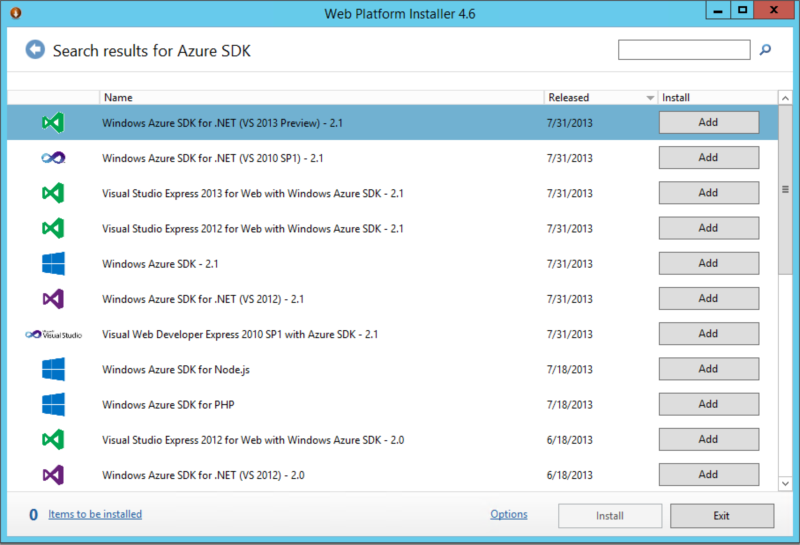
今回の主なUpdateは、Visual Studio 2013 Previewへの対応、Visual Studio連携の強化がメインです。
ではざっくり更新点を見ていきましょう。
8月なった途端Windows Azure SDK for .NET 2.1 がリリースされました。7中ぐらいにNode.jsやPHP用、PowerShellも更新されてるので要確認ですね。
さてインストールはWeb Platform Installer 4.6(いつのまにか4.6)が便利です。
今回の主なUpdateは、Visual Studio 2013 Previewへの対応、Visual Studio連携の強化がメインです。
ではざっくり更新点を見ていきましょう。
しばやん先生がこんな無茶振り的なのを投げてきたので。
Azure Webサイトから他のWebサイトなどに接続した際のグローバルIPアドレスはどうなのか?という話ですので、実際にAzure Webサイトから他のサイトへ接続してリモートアドレスを取得してみました。
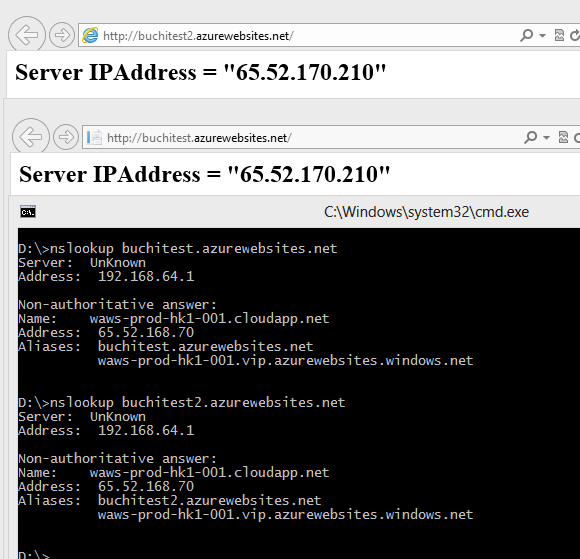
2つのAzure Webサイトとも同じDC(東アジア)です。
Whoisさんによると
NetRange:       65.52.0.0 - 65.55.255.255
CIDR:           65.52.0.0/14
OriginAS:
NetName:        MICROSOFT-1BLK
ということで、受け口となるAzureのロードバラサのグローバルIPアドレスと外に出ていく際に使われているグローバルIPアドレスは同じネットワークにはいるみたいです。で、結局スケールしようがWebサイトが再起動しようが(内部のローカルIPアドレスはともかく)外に出ていく際のグローバルIPアドレスはそうそう変わらない感じ。
※Azure Webサイトで内部のIPアドレス見えないのでなんともですな。(ネットワーク層触れない)
たぶんWebサイトが動作してるWorkerなクラウドサービスのデフォルトゲートウェイが全部同じの見てるんでしょう。きっと。
外部からの接続を受け付けるグローバルIPアドレス(FQDNに割り当てられたIPアドレス)はWebサイトが起動してる間は有効だと思うので、同じゲートウェイが使われる確率は高そうですね。
IPアドレスで許可してもらわないといけないとかそういう場合は適当に調べてOutboundのIPアドレスが変わらないことを期待して設定するか、レンジでどばっと指定するしかないんじゃないかな。どうせ複数のWebサイトで同じグローバルIPアドレスになるんだししょうがないよね!
ちなみにクラウドサービスの場合は同じグローバルIPアドレスになります。これはわかりやすいですね。
※なんかICMPが拒否されるようになってしまったので、いろいろ不便だわぁ。
今日もUpdateなお話です。今回のUpdateは以下の通り。
唐突ですが、GitHubに sdb2aztbl なるものを公開しました。一応会社名義です。
簡単にいうとAmazon SimpleDBのデータをWindows Azure Tableにデータ移行するためのコマンドラインツールです。node.jsで作ってるので基本的にクロスプラットフォームですよ。あ、ライセンスはApache v2.0です。
ツールをより良くしたり、ダメダメな英語を添削したりなPull Requestお待ちしておりますw (英語は結構切実。。。)
もちろんDonateもいつでも歓迎ですよ!
という感じで、必要そうなものや便利そうなものは公開していけたらいいですね。
アナウンスされてたかどうか忘れちゃったけど、Azure Mobile Servicesにもオートスケールがきました。(今はPreview)
管理ポータルのスケールタブで設定することができます。
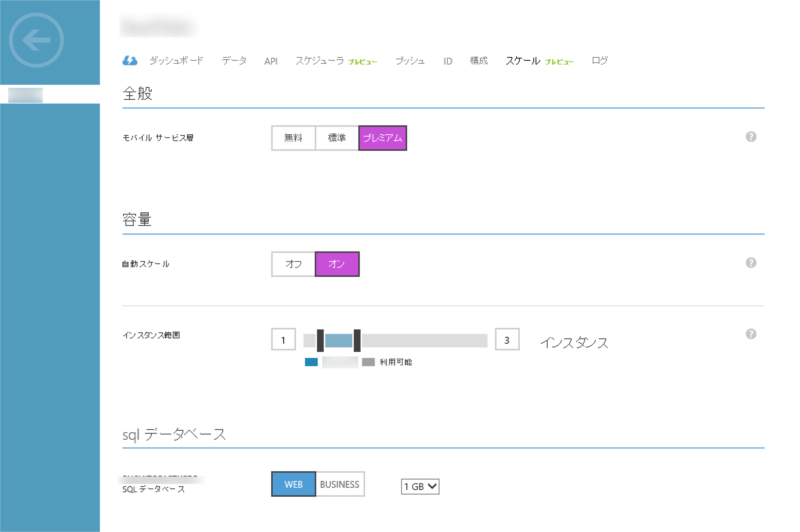
無料だと使えないので、標準かプレミアムを選択するとオートスケールがOnにできるようになります。インスタンス範囲などはWebサイトなどと同じですね。ただメトリックが無いので負荷具合などは自動で判断してくれるようです。
1インスタンスあたりの性能については価格表あたりを参考に。

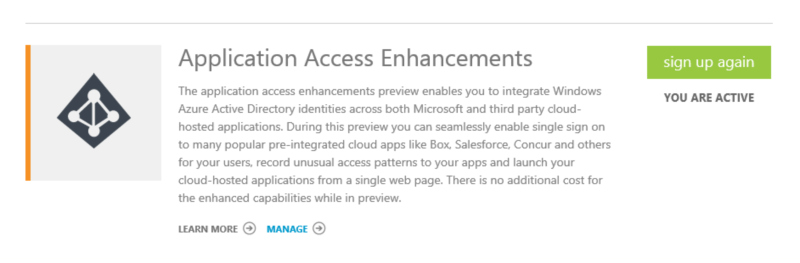
Buildで赤シャツさんがデモしてた他のアプリケーションとの認証連携(アプリケーションアクセス拡張機能)がプレビュー公開されました。
なにはともあれ、Previewの申込みをしましょう。(たぶんすぐにActiveになると思います)
唐突ですが来週Windows Azureのメンテナンスがあるようです。影響を受けるサービスとしては仮想マシンの各インスタンスが1回再起動するようですね。
メンテナンス時刻は各リージョンの業務時間外ということで東アジアだと午後10時~翌午前8時がメンテ時間のようです。
| 西ヨーロッパ |
2013年7月9日 午前 3:00 – 午後1:00 |
| 米国東部 |
2013年7月9日 – 午前 7:00 – 午後 9:00 |
| 米国西部 |
2013年7月10-11日 午前 10:00- 午前 12:00 |
| 東アジア |
2013年7月9-10日 午後 10:00 – 午前 8:00 |
というわけでSLAの件もありますが、可用性セットを作ってサービスダウンに備えておきましょう。
※あと基本的にサブリージョンで同時にメンテなどはしないようです。
受賞できました。3年目です。
また1年間いろいろがんばりたいと思います。
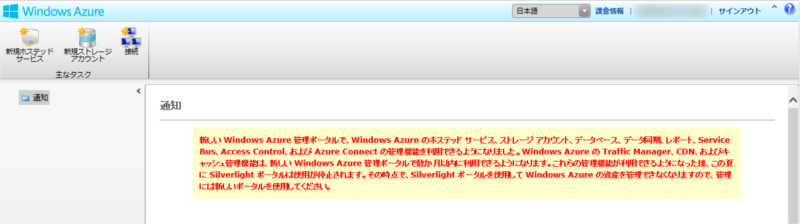
新しい Windows Azure 管理ポータルで、Windows Azure のホステッド サービス、ストレージ アカウント、データベース、データ同期、レポート、Service Bus、Access Control、および Azure Connect の管理機能を利用できるようになりました。Windows Azure の Traffic Manager、CDN、およびキャッシュ管理機能は、新しい Windows Azure 管理ポータルで数か月以内に利用できるようになります。これらの管理機能が利用できるようになった後、この夏に Silverlight ポータルは使用が停止されます。その時点で、Silverlight ポータルを使用して Windows Azure の資産を管理できなくなりますので、管理には新しいポータルを使用してください。
ということらしい。夏にはAzure Connectも終了するので、新ポータルで完全にOKになるのは夏なのかな?w
Windows Azure Connect CTPはというと
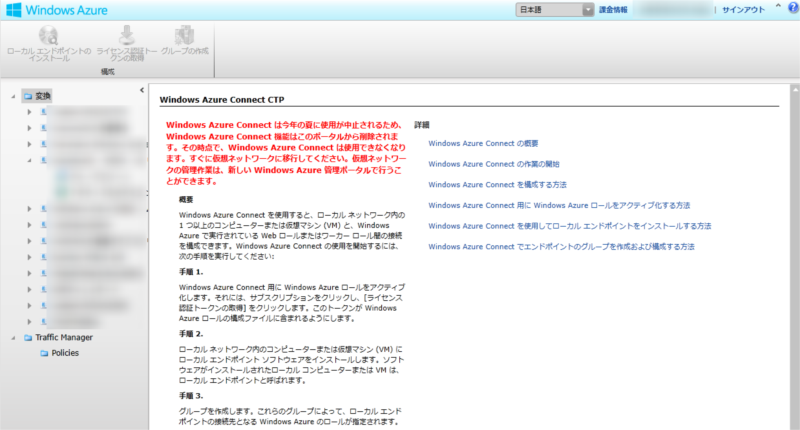
Windows Azure Connect は今年の夏に使用が中止されるため、Windows Azure Connect 機能はこのポータルから削除されます。その時点で、Windows Azure Connect は使用できなくなります。すぐに仮想ネットワークに移行してください。仮想ネットワークの管理作業は、新しい Windows Azure 管理ポータルで行うことができます。
とのこと。まぁもうつながってないっぽいので実質使えない気も。。。
検証のお手軽さでいえばクラウドはかなり便利です。
という感じでWindows Azure上では仮想マシンのギャラリーにすでに検証に使える元イメージがあったり。

作成してから10分ぐらい待てば最新のVisual Studio 2013 Previewがさわれるぜ\ノ’∀ン ヒャッホウ
でもですね。でも!
このイメージ、OSはWindows Server 2012なんですよね。全然ダメ!
というわけで、このイメージ使うよりは同じようにWindows Server 2012 R2 Previewなイメージを使って、その後普通にVisual Studio 2013 Previewを入れたほうがなんぼかマシな気がします。
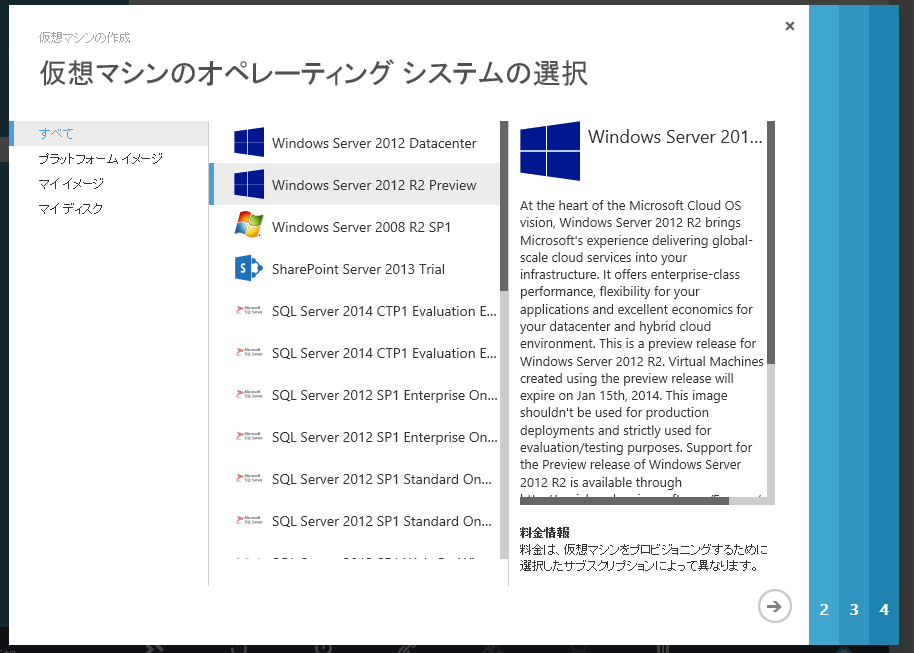
以下1からWindows Server 2012 R2 Preview上にVisual Studio 2013 Previewを入れる際の注意点。
1. Desktop Experienceを入れよう
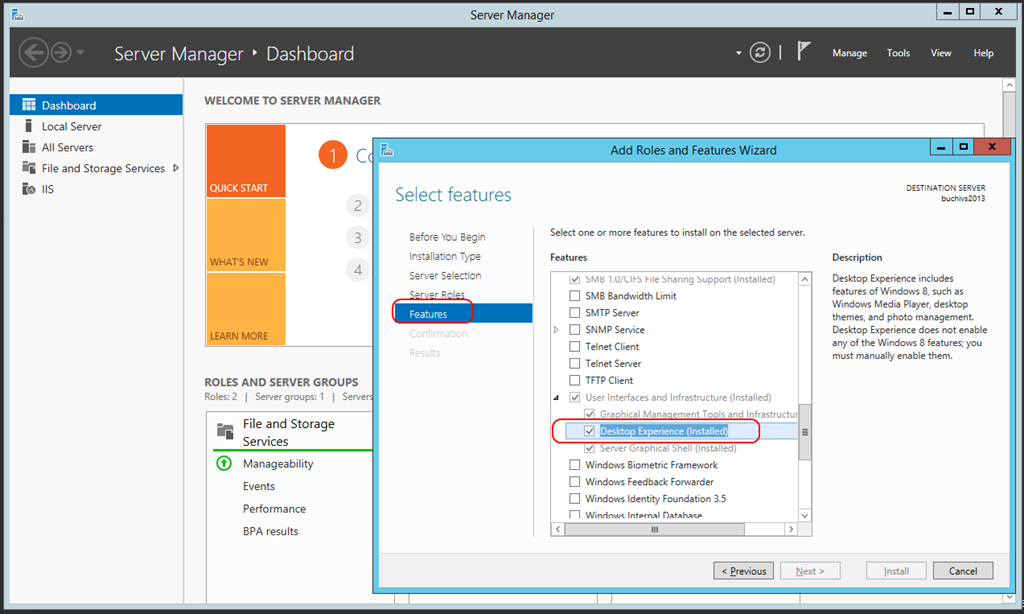
Server Managerからさくっと入れておきましょう。これがないとWindows Storeアプリの開発に必要なデベロッパーライセンスのアクティベーションができません。
2. ユーザーアカウントを作成する
Windows Azure 仮想マシン作成時に指定するアカウントはビルトインのAdministrator扱いになります。このユーザーでWindows Store アプリを実行したりしようとするとアプリが起動しないので、追加でAdministratorsなグループに所属する別ユーザーを作りましょう。普段はそちらを使えばいいです。
あとはお好みでどうぞ。
 ブチザッキ
ブチザッキ 