ちと調べてて悩んでたので一応吐き出しておきます。
WCF Data Services を使うとOData形式等で強力なデータ連携が可能になります。
特に Entity Framework や LINQとの相性は抜群です。
でもむやみやたりにデータ公開したくないわけで。特にクラウドに置いたりする場合は。
じゃやっぱり認証かけたいよね、ということで今回は以下のケースで考えてみます。
- 認証は必要だけど、最初だけの認証にしたい
- クライアントアプリケーション内で(プログラムで)処理したいので、最初の認証以降はプログラム内で処理したい
- フェデレーションもいいんだけど認証プロバイダも弄りたいというかカスタム認証プロバイダ使いたいです
イントラネット等でWindows統合認証が使えるならこんな苦労はないのかも知れませんが、プログラム内から操作する方法だと取れる手法は限られてきます。
で、今回はお手軽にフォーム認証を使って Cookie ベースで制限をかけたいと思います。(まぁなんというか、やってることは OData and Authentication – Part 7 – Forms Authentication と変わりません。)
※ Cookie ベースならまぁローカルに保存してても許してくれそうですし。
準備
さて早速実装していきたいと思います。
まず適当にDB用意しておいてください(手抜き)
次に、Visual Studio 2010 を使って「ASP.NET 空のWebアプリケーション」を新規作成します。
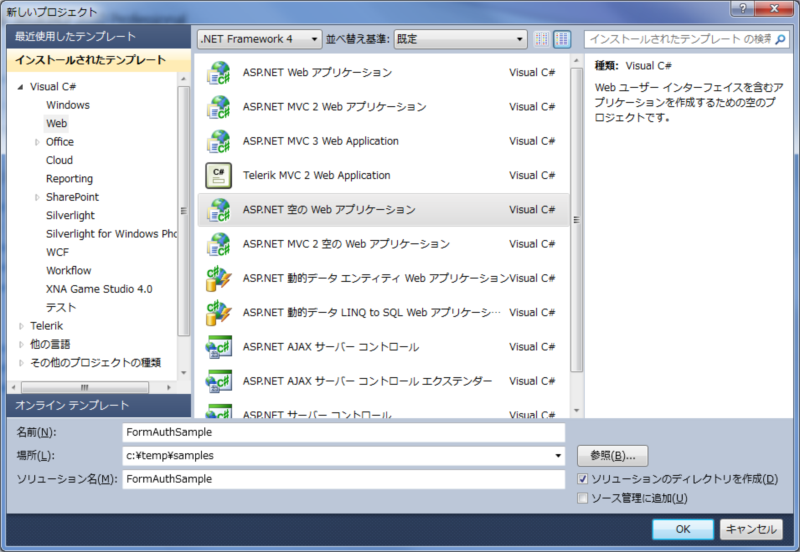
空っぽのプロジェクトが出来ますので、追加で新しい項目を選択し、「ADO.NET Entity Data Model」を追加します。
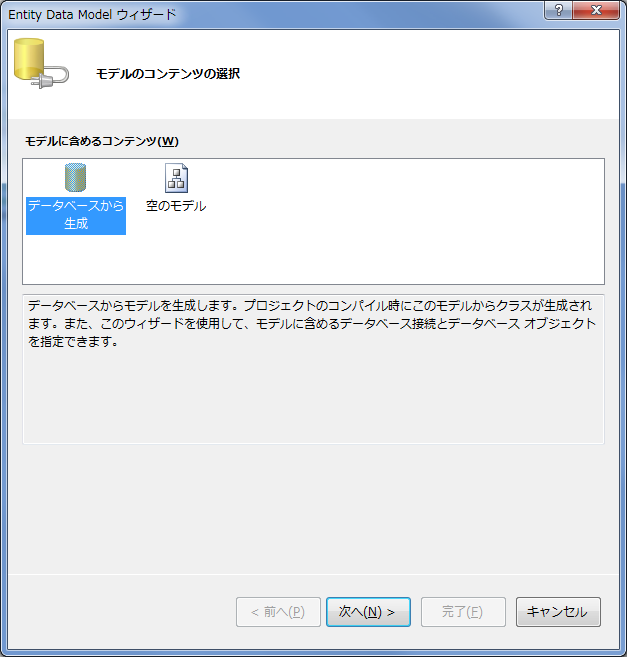
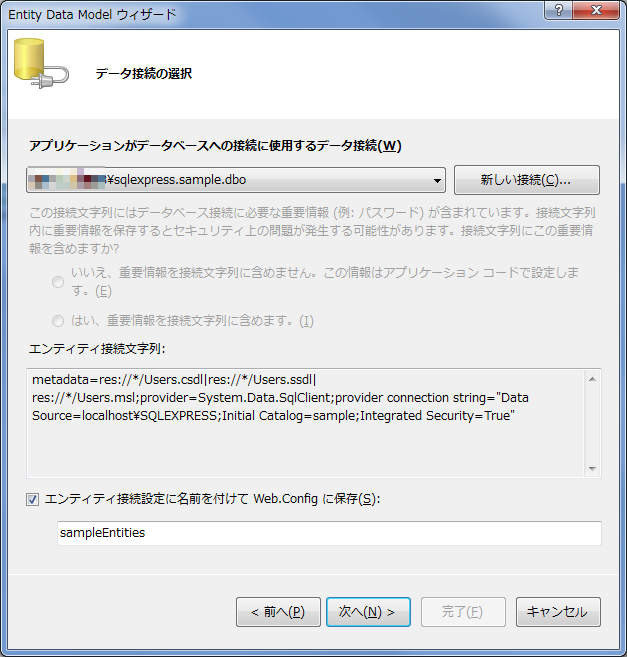
モデルの生成を既存DBから行います。先ほど作成しておいたDBなりを適当に選んで完了するとモデルが作成されます。
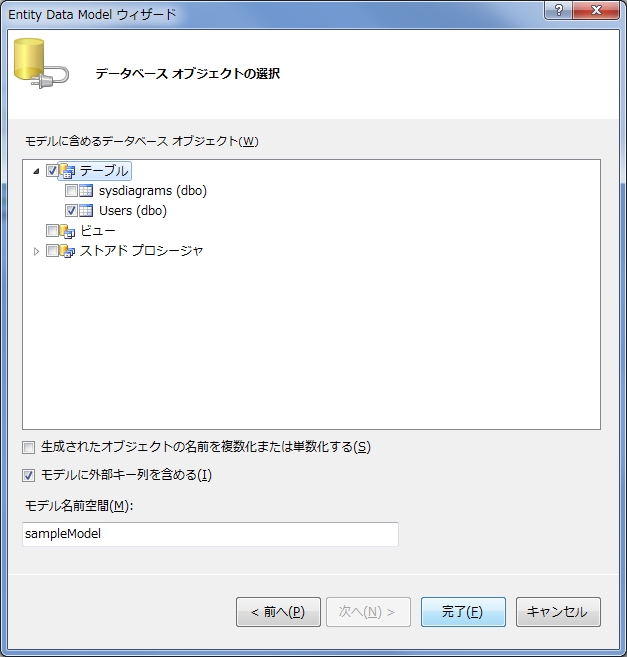
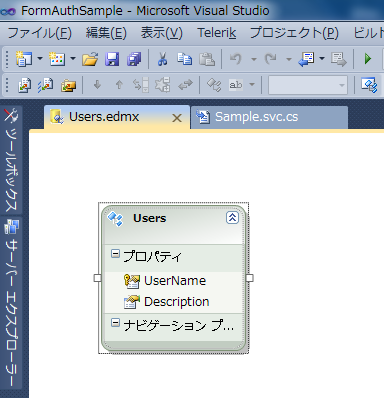
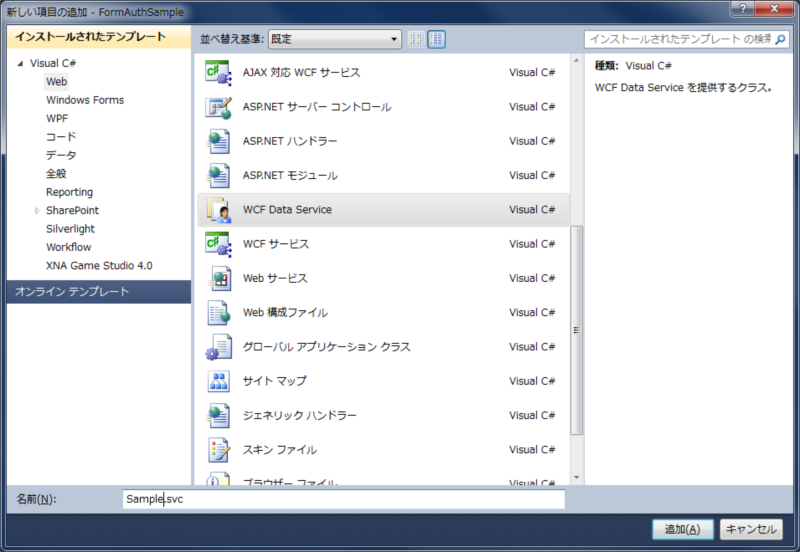
次に新しい項目を選択し、「WCF Data Service」を選択します。ひな形が作成されるので、ソースのコメントにあるToDoにしたがい継承元の型に作成したモデルを、config.SetEntitySetAccessRuleで公開したいエンティティを指定します。
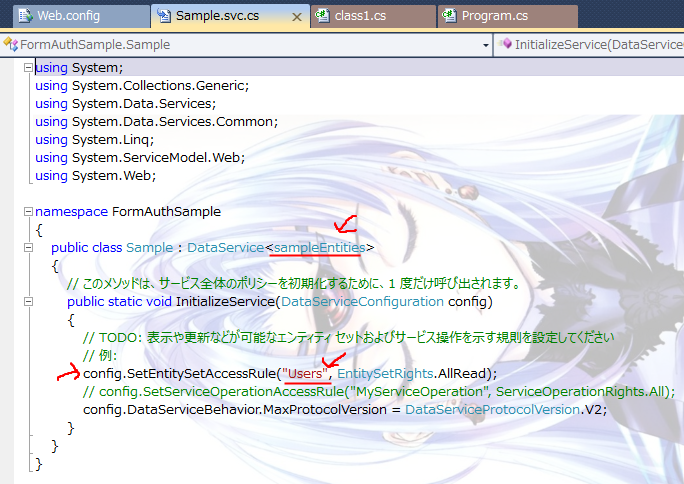
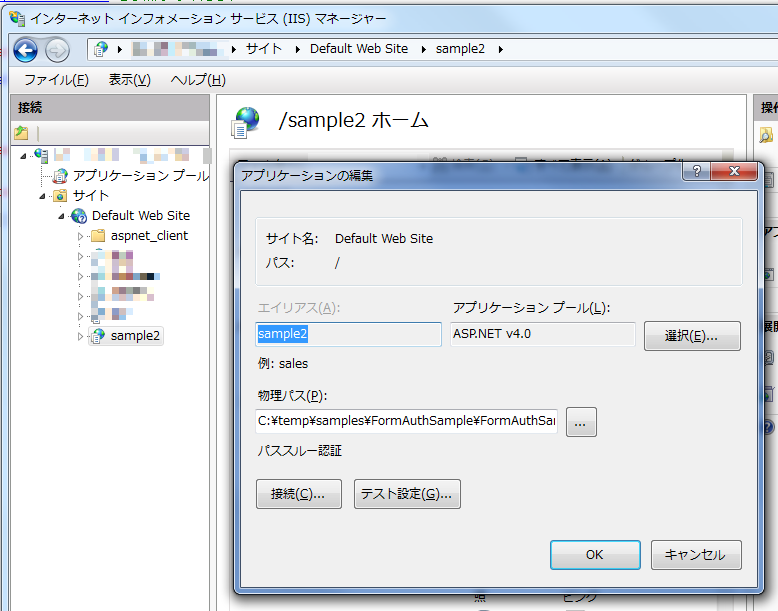
これだけで一応公開できるようにはなりました。なのでIISで仮想ディレクトリ作っておきましょう。
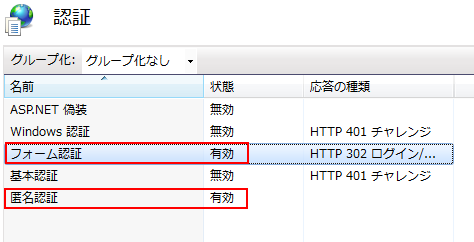
アプリケーションプールはASP.NET 4を選択し、認証はフォーム認証と匿名認証を有効にしておきます。
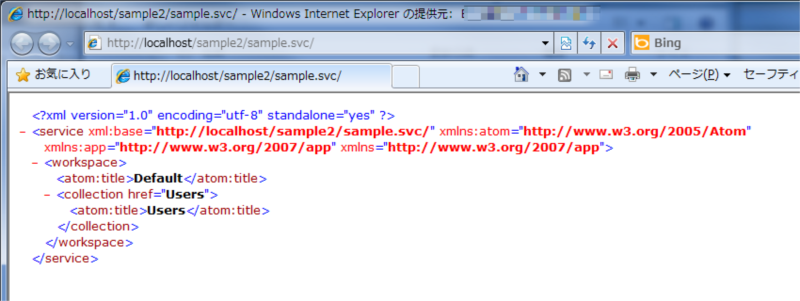
一応ブラウザ(IE)で接続してみて以下のような結果になればよしとします。
さて、次はクライアント側を準備しようと思います。
プロジェクトの追加でコンソールアプリなぞを追加します。
「サービス参照の追加」で先ほどIISに設定したWCF Data Servicesの仮想アプリケーションを指定します。
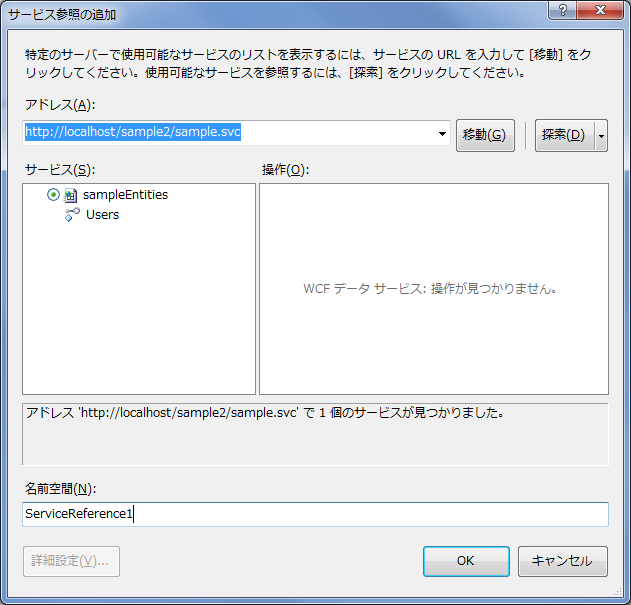
サービス参照ができれば以下のようにコードを書きます。(条件指定なしで取得して表示してるだけです)
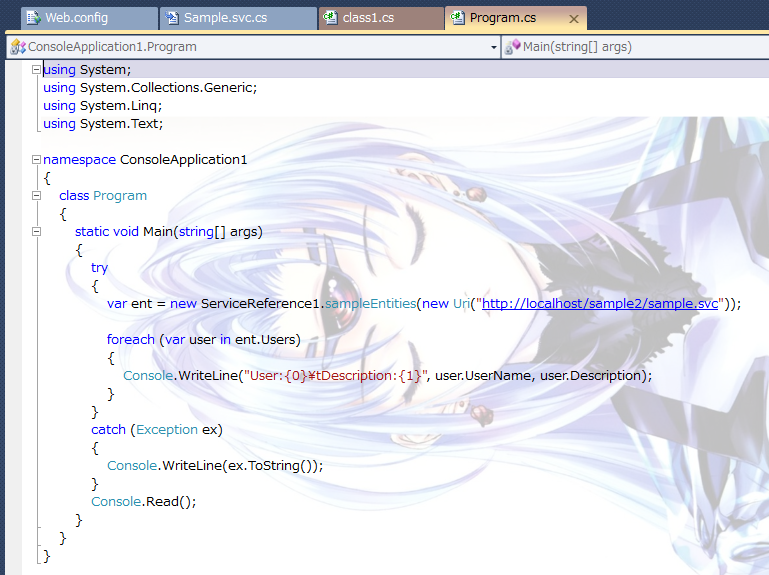
実行してコンソールに結果が表示されることを確認します。
フォーム認証を追加する
さて、今はユーザー認証も何もなしでWCF Data Servicesに接続してデータを取得しています。以降の手順でフォーム認証を追加していきたいと思います。
WCF Data Services にはクエリの実行等の前に、カスタムの処理を行うことができるような仕組みがあります。(WCF Data Services インターセプター)
今回はこれを利用して認証済みかどうかをチェックします。サービスファイル(Sample.svc.cs)に以下のコードを追加します。
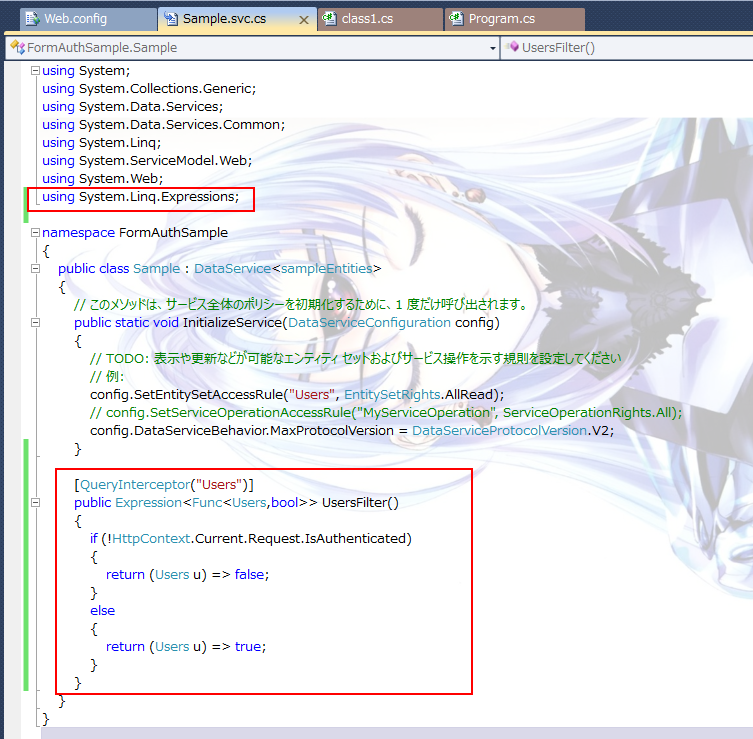
WCF Data Services はIIS(ASP.NET)上で動作しているので、今回はHttpContextのリクエスト内にあるIsAuthenticated を見て認証済みかどうか判断します。
WCF Data Services 側でもいろいろできそうですが、今回フォーム認証ということでそのあたりの仕組みはASP.NET側にまかせてしまいたいと思います。
※ フォーム認証を行うにはいろいろ手法があると思いますが、今回手動で認証を行うのではなくアプリから行いますので、既定のJSONを使用したフォーム認証の仕組みをそのまま使います。
なんせ、手抜きです。
ということで、フォーム認証を行うためにWeb.configを修正します。
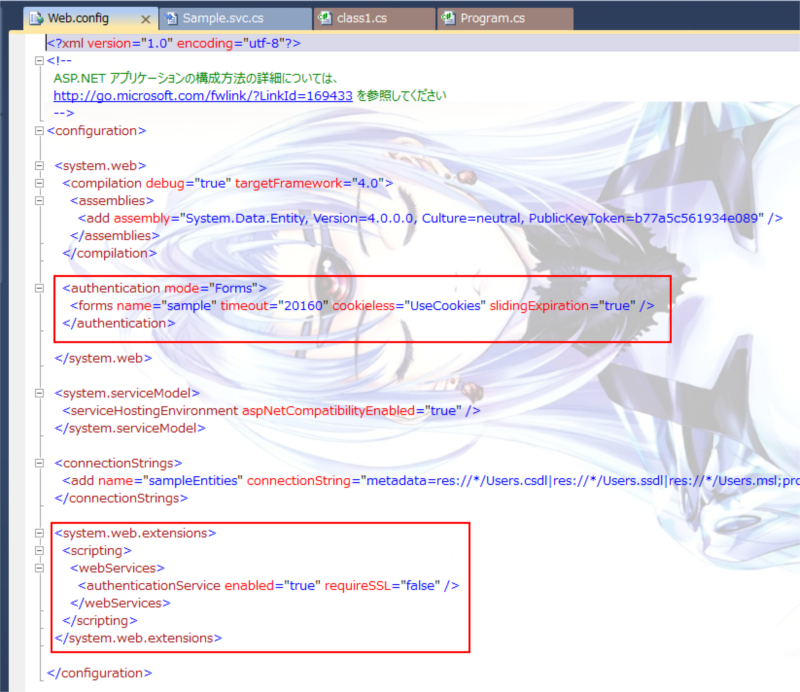
authentication 要素は基本的に通常のASP.NETのフォーム認証時と同じです。loginUrl属性がないぐらい。
また、既定のJSON用のフォーム認証(Authentication_JSON_AppService.axd )はSystem.web.extensions要素以下で定義しています。
あとは認証に必要なユーザーを作成しておきます。今回はASP.NETのプロジェクト標準の仕組みを使います。
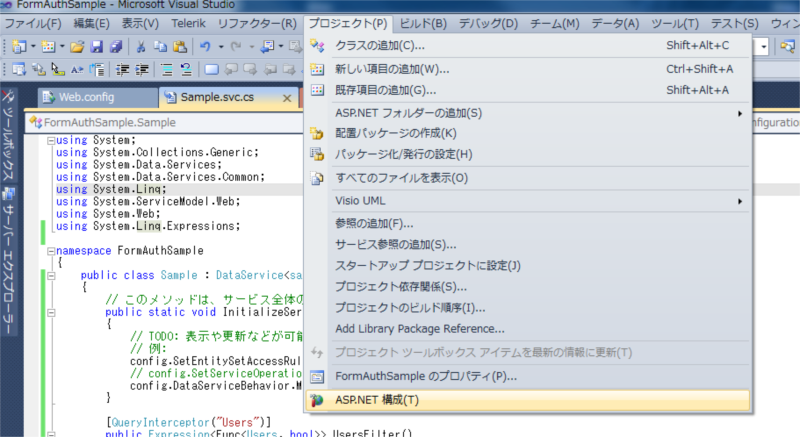
「プロジェクト」メニューから「ASP.NET 構成」を選択して表示される、ASP.NET Webアプリケーション構成画面のセキュリティにてユーザーを追加します。
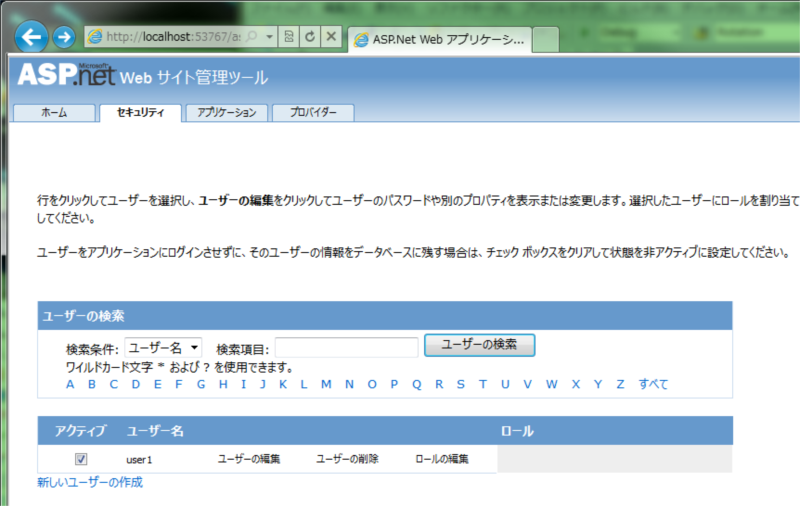
サーバー側はこれで一応完了。
次はクライアント側です。
クライアント側ではEntity Frameworkを使用してクエリを実行する際に認証を行い、Cookieを渡したいと思います。
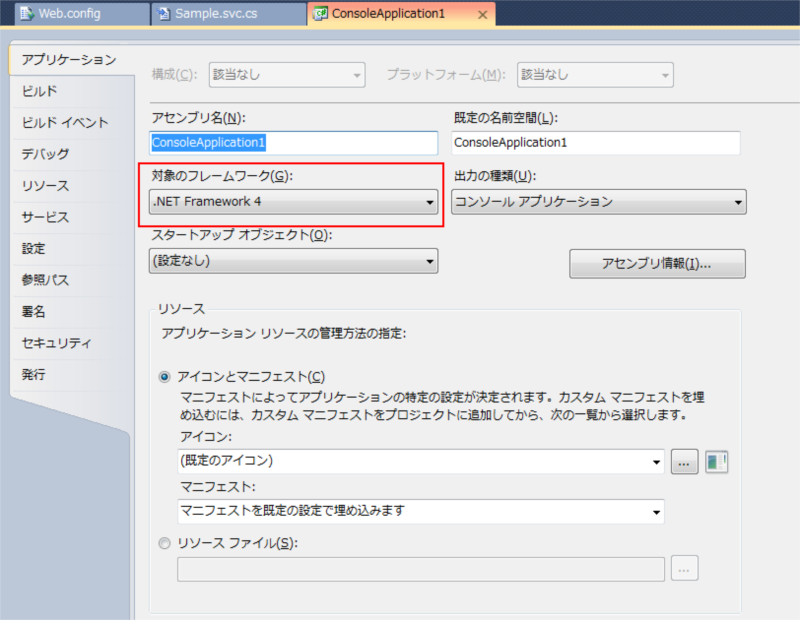
まずフォーム認証に必要なアセンブリを追加します。利用したいアセンブリはSystem.WebとSystem.Web.Extensionsなのですが、この2つは対象のフレームワークがClient Profileでは利用できません。
なのでまず対象フレームワークをプロジェクトのプロパティから変更します。
次に参照の追加でSystem.WebとSystem.Web.Extensionsの2つのアセンブリを追加します。
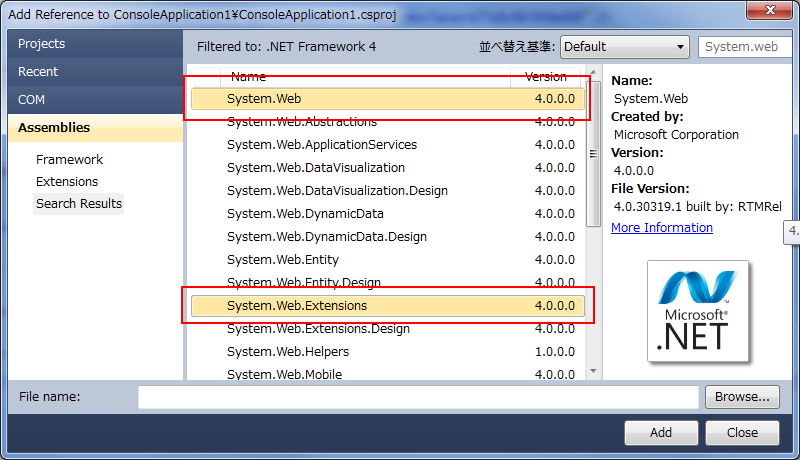
これでフォーム認証に必要な環境になりました。
サービス参照によって作成されたWCF Data ServicesのプロキシはPartialクラスになっていますので、こちらは弄らずにクラスファイルを新たに追加し、OnContextCreatedとOnSendingRequestメソッドを新たに定義します。
using System;
using System.Collections.Generic;
using System.Linq;
using System.Text;
using System.Net;
using System.IO;
using System.Web;
using System.Web.Security;
using System.Data.Services.Client;

namespace ConsoleApplication1.ServiceReference1
{
	public partial class sampleEntities
	{
		partial void OnContextCreated()
		{
			this.SendingRequest +=
			   new EventHandler<SendingRequestEventArgs>(OnSendingRequest);
		}

		public string UserName { get; set; }
		public string Password { get; set; }
		public string ServiceUri { get; set; }
		public string Cookie { get; set; }

		public void OnSendingRequest(object sender, SendingRequestEventArgs e)
		{
			e.RequestHeaders.Add("Cookie", GetCookie(UserName, Password));
		}
		string GetCookie(string userName, string password)
		{
			if (Cookie == null)
			{
				string loginUri = string.Format("{0}/{1}/{2}",
					ServiceUri,
					"Authentication_JSON_AppService.axd",
					"Login");
				WebRequest request = HttpWebRequest.Create(loginUri);
				request.Method = "POST";
				request.ContentType = "application/json";

				string authBody = String.Format(
					"{{ \"userName\": \"{0}\", \"password\": \"{1}\", \"createPersistentCookie\":false}}",
					userName,
					password);
				request.ContentLength = authBody.Length;

				using (StreamWriter w = new StreamWriter(request.GetRequestStream()))
				{
					w.Write(authBody);
					w.Close();

					WebResponse res = request.GetResponse();
					if (res.Headers["Set-Cookie"] != null)
					{
						Cookie = res.Headers["Set-Cookie"];
					}
					else
					{
						throw new Exception("Invalid username and password");
					}
				}
			}
			return Cookie;
		}

	}
}
OnContextCreatedメソッドではSendingRequestイベント発生時に呼ばれるようにイベントハンドラを登録、OnSendingRequestイベントハンドラで事前にフォーム認証処理を行いCookieをHTTPリクエストヘッダに埋め込みます。
さてさて。フォーム認証するのはいいけど今回認証画面等は作成していません。
これは先ほども述べましたがASP.NETというかExtensionで持っていると思われるAuthentication_JSON_AppService.axd を使用します。
※これを使用するために先ほどサーバー側でWeb.configを設定しました。
最後はEntityFrameworkの利用している箇所の修正です。
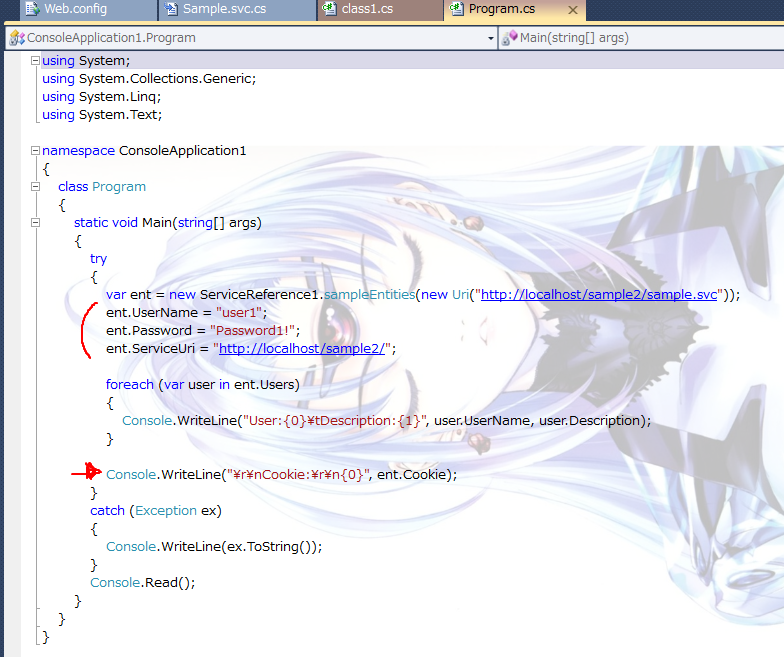
ユーザー名、パスワードとフォーム認証用のURLを指定します。
さて以上で設定は完了です。
まず間違ったID/Passで接続してみます。
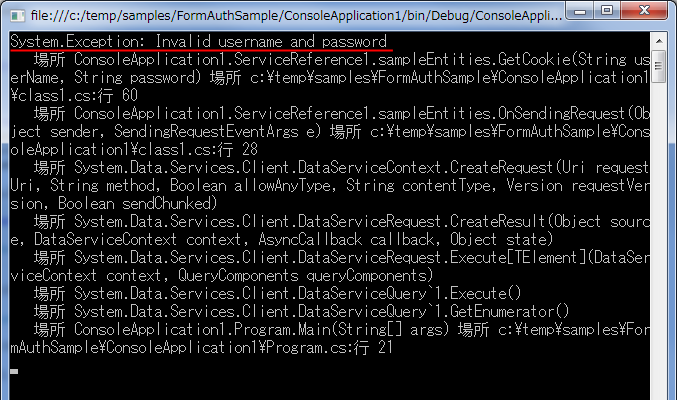
ちゃんと拒否されました。
次は正しいIDとパスワードで。
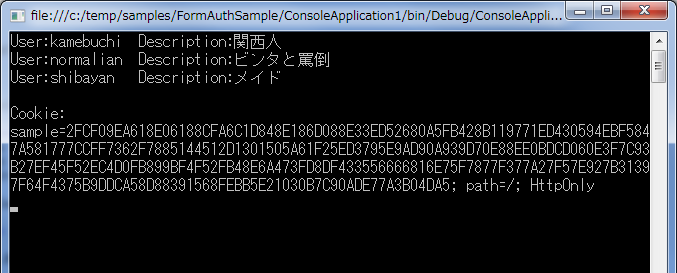
期待通りの結果です。やったね。
まとめ
WCF Data Services もよくよく調べるといろんなこと出来そうですね。ちょっとASP.NETの仕組みも知ってないとだいぶ嵌りますが・・・ええはまりました。
できるだけこの手の面倒くさい事はしたくないです。。。
参考
- WCF Data Services インターセプター
- WCF Data Services で OData利用時の認証について
- OData and Authentication – Part 7 – Forms Authentication
おまけ
最終的なソリューションの状態はこんな感じです。
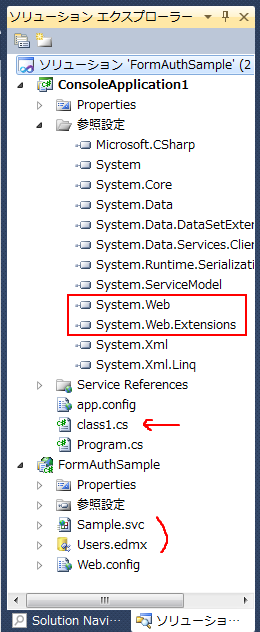
以下最終的なソース。
sample.svc.cs
using System;
using System.Collections.Generic;
using System.Data.Services;
using System.Data.Services.Common;
using System.Linq;
using System.ServiceModel.Web;
using System.Web;
using System.Linq.Expressions;

namespace FormAuthSample
{
	public class Sample : DataService<sampleEntities>
	{
		// このメソッドは、サービス全体のポリシーを初期化するために、1 度だけ呼び出されます。
		public static void InitializeService(DataServiceConfiguration config)
		{
			// TODO: 表示や更新などが可能なエンティティ セットおよびサービス操作を示す規則を設定してください
			// 例:
			config.SetEntitySetAccessRule("Users", EntitySetRights.AllRead);
			// config.SetServiceOperationAccessRule("MyServiceOperation", ServiceOperationRights.All);
			config.DataServiceBehavior.MaxProtocolVersion = DataServiceProtocolVersion.V2;
		}

		[QueryInterceptor("Users")]
		public Expression<Func<Users,bool>> UsersFilter()
		{
			if (!HttpContext.Current.Request.IsAuthenticated)
			{
				return (Users u) => false;
			}
			else
			{
				return (Users u) => true;
			}
		}
	}
}
web.config
<?xml version="1.0" encoding="utf-8"?>
<!--
ASP.NET アプリケーションの構成方法の詳細については、
http://go.microsoft.com/fwlink/?LinkId=169433 を参照してください
-->
<configuration>
<system.web>
<compilation debug="true" targetFramework="4.0">
<assemblies>
<add assembly="System.Data.Entity, Version=4.0.0.0, Culture=neutral, PublicKeyToken=b77a5c561934e089" />
</assemblies>
</compilation>
<authentication mode="Forms">
<forms name="sample" timeout="20160" cookieless="UseCookies" slidingExpiration="true" />
</authentication>
</system.web>
<system.serviceModel>
<serviceHostingEnvironment aspNetCompatibilityEnabled="true" />
</system.serviceModel>
<connectionStrings>
<add name="sampleEntities" connectionString="metadata=res://*/Users.csdl|res://*/Users.ssdl|res://*/Users.msl;provider=System.Data.SqlClient;provider connection string="Data Source=localhost\SQLEXPRESS;Initial Catalog=sample;Integrated Security=True;MultipleActiveResultSets=True"" providerName="System.Data.EntityClient" />
</connectionStrings>
<system.web.extensions>
<scripting>
<webServices>
<authenticationService enabled="true" requireSSL="false" />
</webServices>
</scripting>
</system.web.extensions>
</configuration>
class1.cs
using System;
using System.Collections.Generic;
using System.Linq;
using System.Text;
using System.Net;
using System.IO;
using System.Web;
using System.Web.Security;
using System.Data.Services.Client;

namespace ConsoleApplication1.ServiceReference1
{
	public partial class sampleEntities
	{
		partial void OnContextCreated()
		{
			this.SendingRequest +=
			   new EventHandler<SendingRequestEventArgs>(OnSendingRequest);
		}

		public string UserName { get; set; }
		public string Password { get; set; }
		public string ServiceUri { get; set; }
		public string Cookie { get; set; }

		public void OnSendingRequest(object sender, SendingRequestEventArgs e)
		{
			e.RequestHeaders.Add("Cookie", GetCookie(UserName, Password));
		}
		string GetCookie(string userName, string password)
		{
			if (Cookie == null)
			{
				string loginUri = string.Format("{0}/{1}/{2}",
					ServiceUri,
					"Authentication_JSON_AppService.axd",
					"Login");
				WebRequest request = HttpWebRequest.Create(loginUri);
				request.Method = "POST";
				request.ContentType = "application/json";

				string authBody = String.Format(
					"{{ \"userName\": \"{0}\", \"password\": \"{1}\", \"createPersistentCookie\":false}}",
					userName,
					password);
				request.ContentLength = authBody.Length;

				using (StreamWriter w = new StreamWriter(request.GetRequestStream()))
				{
					w.Write(authBody);
					w.Close();

					WebResponse res = request.GetResponse();
					if (res.Headers["Set-Cookie"] != null)
					{
						Cookie = res.Headers["Set-Cookie"];
					}
					else
					{
						throw new Exception("Invalid username and password");
					}
				}
			}
			return Cookie;
		}

	}
}
Program.cs
using System;
using System.Collections.Generic;
using System.Linq;
using System.Text;

namespace ConsoleApplication1
{
	class Program
	{
		static void Main(string[] args)
		{
			try
			{
				var ent = new ServiceReference1.sampleEntities(new Uri("http://localhost/sample2/sample.svc"));
				ent.UserName = "user1";
				ent.Password = "Password1!";
				ent.ServiceUri = "http://localhost/sample2/";

				foreach (var user in ent.Users)
				{
					Console.WriteLine("User:{0}\tDescription:{1}", user.UserName, user.Description);
				}

				Console.WriteLine("\r\nCookie:\r\n{0}", ent.Cookie);
			}
			catch (Exception ex)
			{
				Console.WriteLine(ex.ToString());
			}
			Console.Read();
		}
	}
}
 ブチザッキ
ブチザッキ 
ピンバック: 無聊を託つさんへ « ブチザッキ