メモ程度。
1. Visual Studio 2012でクラスライブラリを作る
2. System.Management.Automation と System.Configuration.Install の2つのアセンブリを追加する。(※System.Management.Automation は C:\Program Files (x86)\Reference Assemblies\Microsoft\WindowsPowerShell\3.0\System.Management.Automation.dll にあるはず)
3. プロジェクトのプロパティで「ビルド後に実行するコマンドライン」でinstallutil.exeを使ってアセンブリをアンインストールする
c:\WINDOWS\Microsoft.NET\Framework\v4.0.30319\installutil.exe $(TargetDir)$(TargetFileName)
※x64なアセンブリの場合はFramework64にしよう
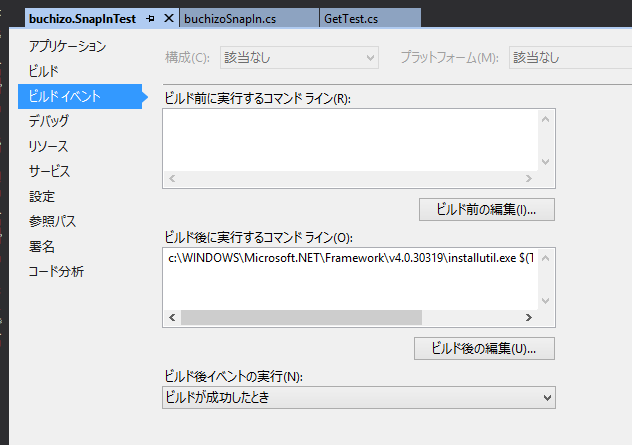
※installutilを使ってインストールするので、Visual Studioは管理者権限で起動しておかないとうまくいかない(気がする)
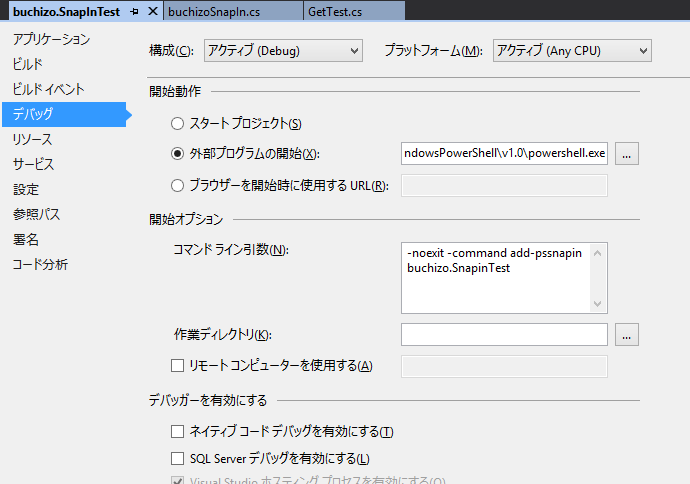
4. デバッグ時に外部プログラムを開始するようにする
C:\WINDOWS\system32\WindowsPowerShell\v1.0\powershell.exe
引数は以下のようにしてAdd-PSSnapInで読み込む
-noexit -command add-pssnapin buchizo.SnapinTest
5. SnapInクラスを継承したクラスを実装する
using System.ComponentModel;
using System.Management.Automation;

namespace buchizo.SnapInTest
{
	[RunInstaller(true)]
	public class buchizoSnapIn : PSSnapIn
    {
		public override string Description
		{
			get { return "test."; }
		}

		public override string Name
		{
			get { return "buchizo.SnapInTest"; }
		}

		public override string Vendor
		{
			get { return "buchizo"; }
		}
    }
}
RunInstaller(true)属性を忘れずに。
6. Cmdletクラスを継承してCmdletを実装する。
using System.Management.Automation;

namespace buchizo.SnapInTest
{
	[Cmdlet("Get", "Test")]
	public class GetTest : Cmdlet
	{
		protected override void ProcessRecord()
		{
			this.WriteObject("Test3");
		}
	}
}
細かいのはリファレンス参照で。
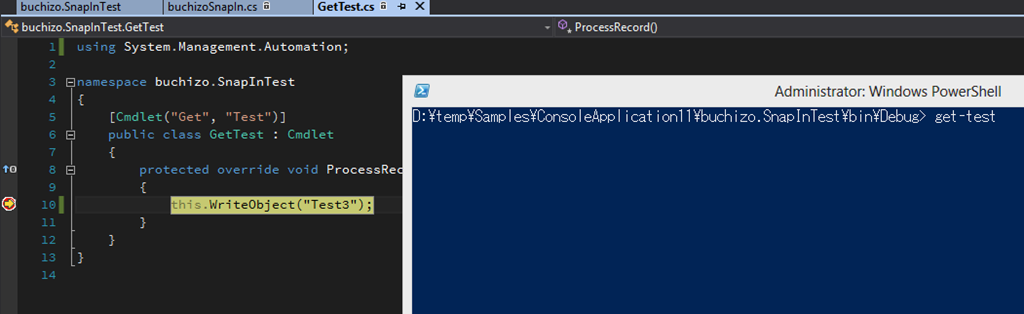
とりあえずこれで動く。デバッグ実行もOK
 ブチザッキ
ブチザッキ 